All Your Lessons in One Place
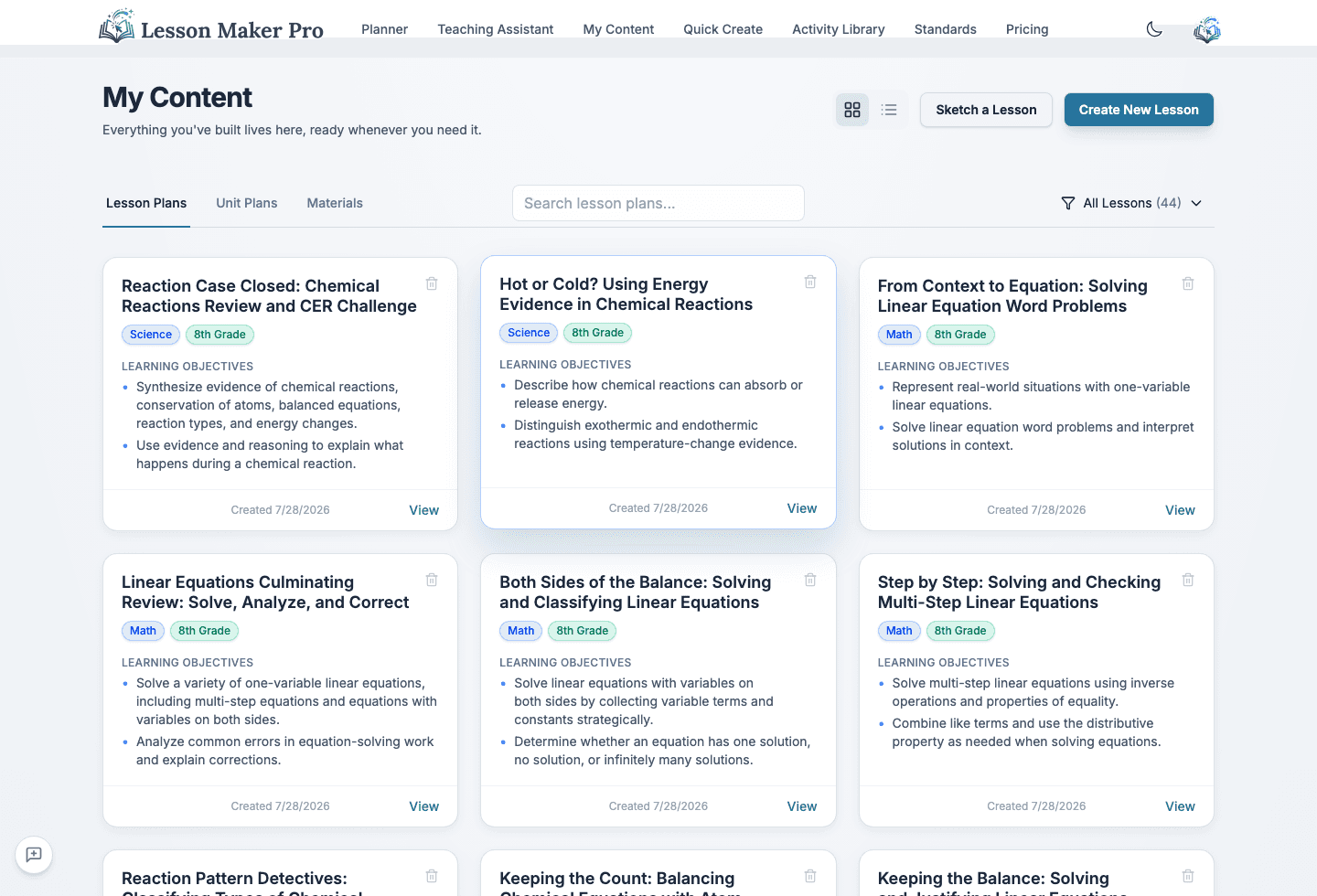
Keep your lesson and unit plans organized and searchable in one dashboard, with grid and list views, subject and grade tags, and attached materials.
Everything Where You Left It
- Grid & List Views: See your lessons as cards or a compact list
- Search That Goes Deep: Search matches titles, objectives, standards codes, and the text of every activity
- Visual Tags: Colorful tags for subjects and grade levels
- Attached Resources: Keep materials directly with their lessons
What you get
Organization Features
Everything you need to keep your lessons organized and accessible
Search Everything
Type a standard code, an objective phrase, or a word from an activity, and the lesson surfaces
Flexible Views
Grid or list, with filters for standalone, from-unit, and publicly shared lessons, each showing a live count
Resource Attachments
Keep handouts, links, and materials organized alongside their lessons
How it works
A library that builds itself as you plan
Create Lessons
Generate lessons with Quick Lesson or the Teaching Assistant. They're automatically saved to your dashboard.
Organize & Tag
Lessons are automatically tagged by subject and grade level for easy filtering and discovery.
Find & Reuse
Search your library, open past lessons, and adapt them for new classes or topics.
Why teachers use it
Your Library Grows With You
Build Your Library
Every lesson you create becomes part of your personal teaching library to reuse and adapt.
Save Time
Stop recreating lessons from scratch. Find and reuse your best work in seconds.
Stay Organized
No more scattered files or lost documents. Everything in one searchable place.
Easy Adaptation
Open any past lesson and adapt it for a new class, grade level, or topic.
Organize Your Teaching Library
Create a lesson and it's saved, tagged, and searchable from day one, ready to reuse next semester.