Your Resources, Ready For This Class
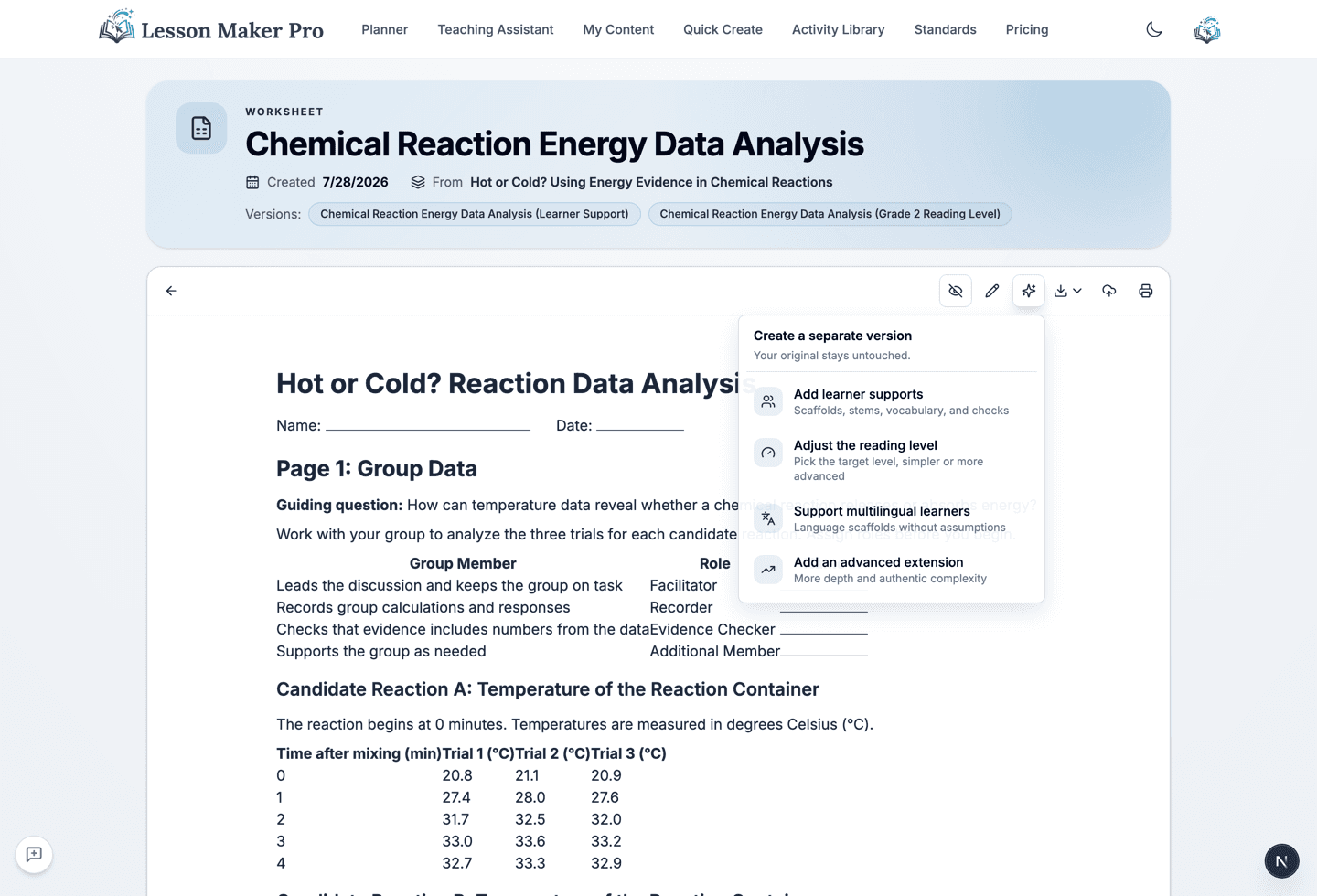
Start from the curriculum you already trust. Create a separate scaffolded, releveled, multilingual, or extended version of any resource, while the original stays exactly as you made it.
One Click From Resource to Version
- Learner Supports: Add chunked directions, sentence stems, vocabulary help, and checks for understanding at the same rigor.
- Any Reading Level: Pick a target from kindergarten through 12th grade. The learning goals and key vocabulary stay intact.
- Multilingual Learners: Add plain-language directions, vocabulary previews, and sentence frames that welcome every home language.
- Advanced Extensions: Deepen the thinking for students who are ready for more, without just assigning more work.
How it works
From One Resource to Every Version
Start From Any Resource
Open a saved material and click Adapt, or attach a PDF, Word file, slide deck, image, or link in the Teaching Assistant.
Choose the Version
Pick a quick action, choose a target reading level, or describe exactly what should change.
Review a Faithful Adaptation
The new version keeps the source's content, goals, and length, with the answer key updated to match.
Keep Both
Every adaptation is a separate resource in your library, linked to its source. The original never changes.
Why teachers use it
Built to Respect the Resource You Started With
Source-Grounded
The source stays the factual and instructional anchor. Adaptations reshape how it teaches, not what it teaches.
Versions, Not Overwrites
Each version links back to its source, so you can see a resource's whole family at a glance.
Same Footprint
Adaptations print on about the same number of pages as the source. Supports replace content instead of piling on.
Works With Your Files
PDFs, Word documents, PowerPoints, images, and web links, with no retyping.
Make the Version Your Class Needs
Bring the resource you already have and create the adaptation your learners need today.